
TLDR: YourOwnWeigh (YOW) allows you to update the firmware on your Withings Scales, such that future Wifi syncing sends your data wherever you want.
Included is a Python script that can update firmware over Bluetooth, firmware patches for two models of scales (so far), and a web app that operates as both a dashboard and the new sync API server for your scales.
The web app can be run entirely on a free CloudFlare account. An iOS Shortcut provides automated syncing with Apple Health (hopefully the community can help with Google Health and other destinations).
The end result is you can automatically sync your weight data to any health service completely for free, and without requiring special equipment, manual syncs or anything else.
Withings recently announced that new user accounts would need to pay a $99 annual subscription in order to sync data from your devices to other services (e.g. Apple Health, Google Health etc.), which predictably didn’t go down well.
I was already fed up with how the Withings phone app had become a bloated mess - I just want it to sync my scales, rather than awarding ‘badges’, giving health tips, offering updates/challenges/whatever etc. etc. The bloat had also meant syncing didn’t work nearly as well as it used to. So this recent announcement pushed me over the edge into investigating whether I could ‘free’ my scales.
This blog post describes some of the technical details of the work to hopefully serve as a reference to future researchers. I’m hoping people can help to add support for more models of scales, more operating systems and more features.
If you would rather, you can just go direct to the YourOwnWeigh on Github to get going with it.
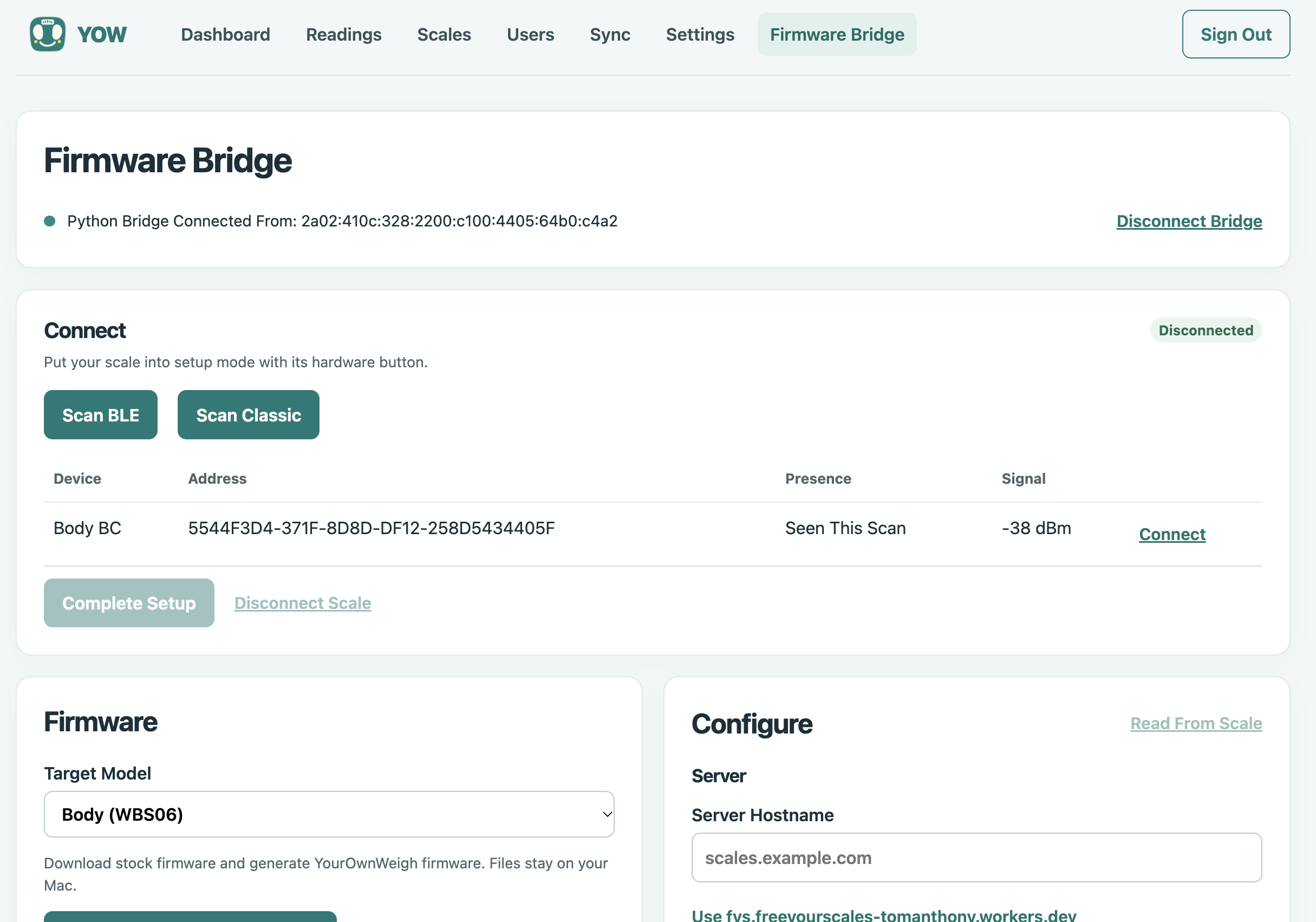
The Firmware Bridge connects to the the Bluetooth bridge app (running locally), to allow updating Firmware, and changing on-device settings.
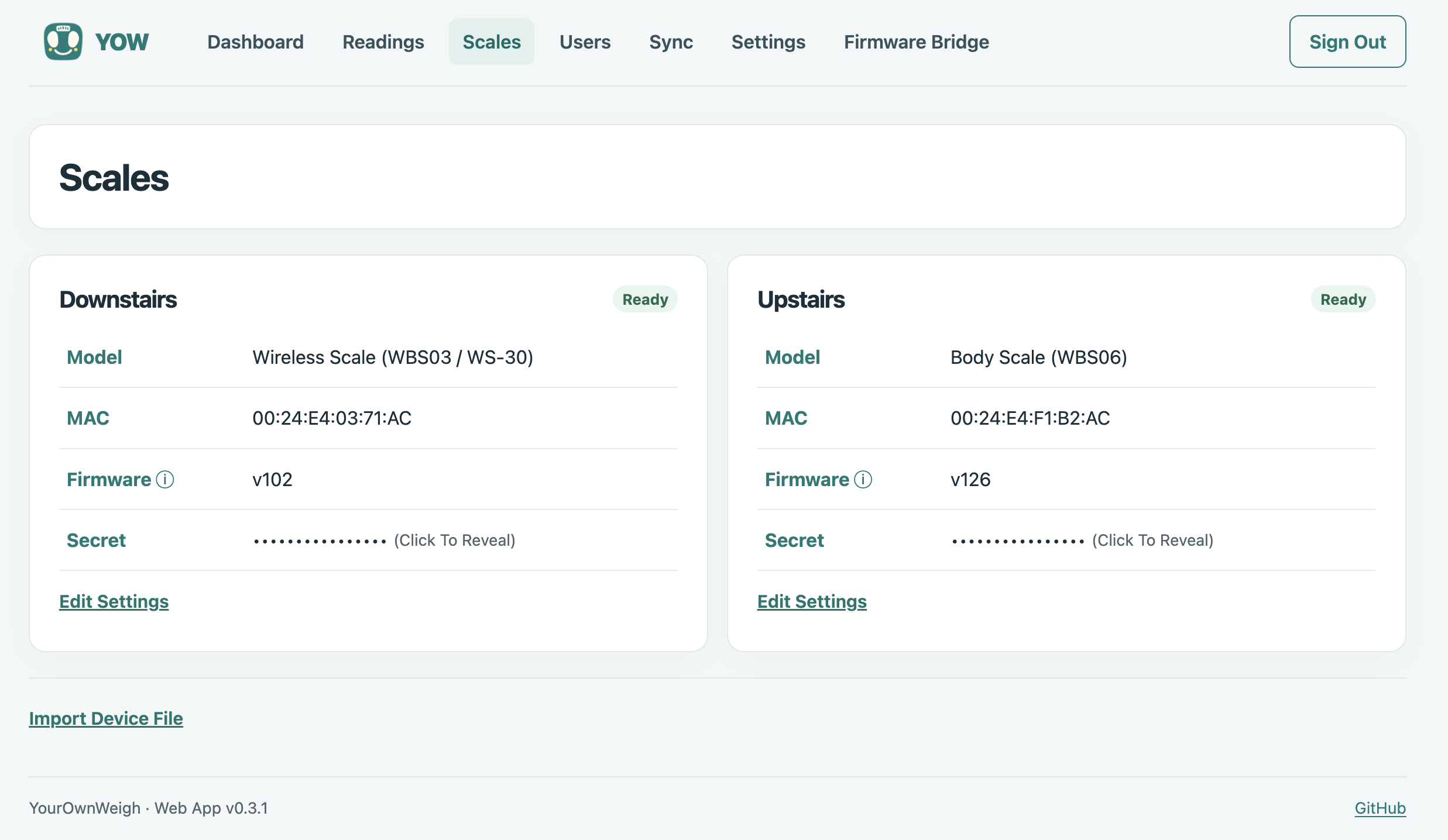
Your scales and their existing settings are imported into YOW, where you can manage them directly in the future.
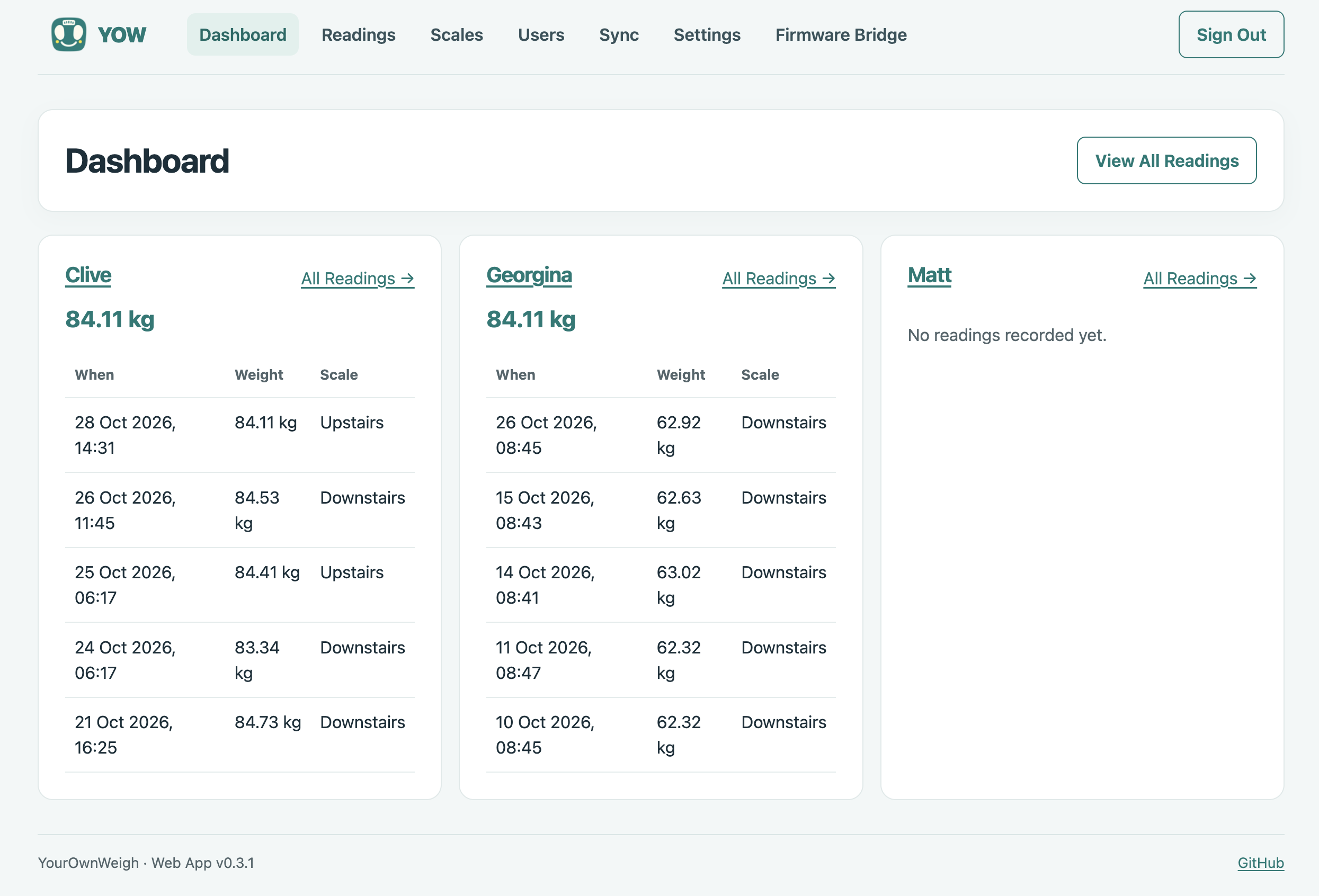
Import your users automatically from Withings, or add and manage users in YOW. Readings are shown in the dashboard, but can also be read via the YOW API to pipe wherever you want.
Existing Alternatives
There is an openScale project, but it didn’t have Withings support (despite interest: #786, #897). Hopefully that can make use of my research.
There is also an excellent looking project that does Bluetooth syncing, but which requires an ESPHome sensor that lives near the scales. If you have such a sensor, you should check it out. I’d also advise disabling Wifi on the scales, as future firmware updates over Wifi could potentially interrupt that flow.
So I set out to do it myself… (well, with AI obviously…)
Data Flow
When you weigh-in on a Withings scale, you can sync that data over Bluetooth via the phone app, or it can sync via Wifi to Withings servers, from where your phone app can retrieve that data.
I’m an iOS/macOS user, which means sending the data to Apple Health has to go via one of my devices (I don’t believe a Cloud service can directly send to Apple Health):
Scales -> BLE to Phone App -> Apple Health
Scales -> Wifi to Cloud -> Phone App -> Apple Health
I didn’t want to have to have the phone nearby to register weigh-ins, or do manual syncs. I am bad enough at tracking my weight as it is.
So the goal was to work out how to get the Wifi sync to go somewhere else.
Reading the Firmware
I know nothing about hardware hacking but luckily the inimitable Eugene Lim (spaceraccoon) published a post last year where he detailed the UART pins on the underside of a Withings scale, and how they can get access to a shell on the device.
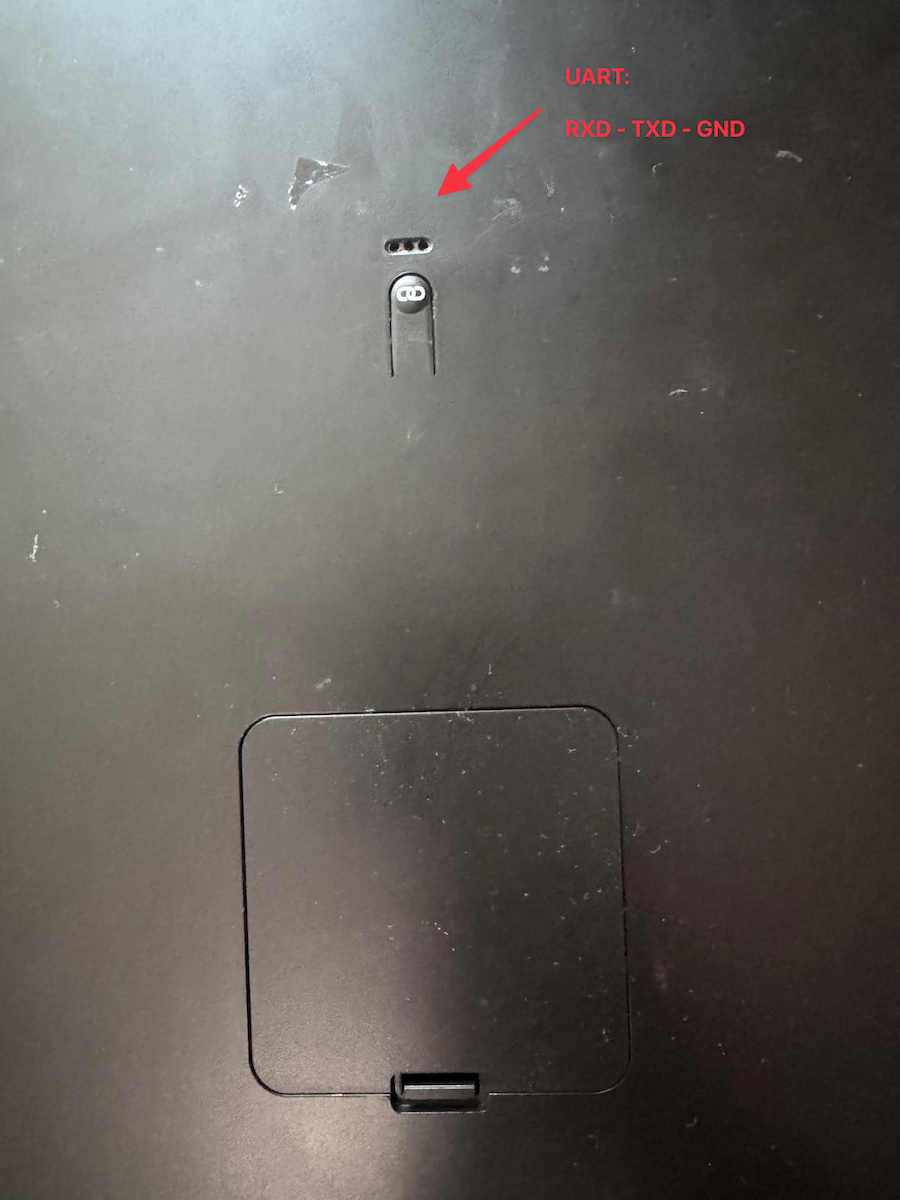
Both my WBS06 and WS-30/WBS03 models had 3 holes on the underside that allowed a UART connection.
After a bit of fussing, I was able to get the same flow working, and get access on my ‘Body Scale’ (WBS06) scales, and my older ‘Wireless Scale’ (WS-30 / WBS03) model, seeing something like this:
BOOTHELLO******** FIRST BOOT ********
[Withings] Bootloader version 15
[Withings] Compile date : Wed Aug 13 18:10:43 CEST 2014 on bbrac-Precision-M4600
[CRC EXTERNAL FW1 CHECKING] CRC Ok
[CRC EXTERNAL FW2 CHECKING] CRC Ok
[CRC INTERNAL FW CHECKING]
CRC 1 Ok (smallest fw)
Reboot to NORMAL_BOOT�ENTERING MAINTASK
[BAT] 4275 mv (0 %) (MIN 4300 MAX 6000) -> State <HS>
[INITDBLIB] default bank valid
[INITDBLIB] bank1 valid
[INITDBLIB] bank2 valid
[INITDBLIB] Bank courante: 1, Addresse: 0x8000, taille 0x8000
[INITDBLIB] Bank autre: 2, Addresse: 0x10000, taille 0x8000
*****************UART IS CONNECTED***************

shell>
From here, I was able to dump the firmware for each of the models, allowing some analysis.
Some notes:
- The hostname and protocol of where to send weigh-in sync events was not hardcoded, so could be set. However, it could only be set via UART, and I wanted a scalable means for others to free their scales, so we would need to patch that into the firmware.
- The scales communicate with Withings’ service using their MAC address and an embedded secret associated with that MAC address; hashing these with a nonce is how both models made authenticated requests. The MAC and secret can both be extracted over Bluetooth with the scales in pairing mode.
- This same MAC/secret pair are what the scales use to retrieve the user roster from Withings, as well as check for firmware updates appropriate to their model (which seems entirely based on the MAC from what I could tell).
- Both models had two firmware slots (
fw_0andfw_1), and in both cases updates would go into the slot that currently held the lower numbered version of firmware. (I made my version numbers deliberately lower, so one slot would always retain a Withings vanilla version.) - After an update completes, that firmware would then be copied into a separate memory block from which they would be loaded and run. However, I did find out that both models still load the Bluetooth Radio code from a slot designated separately to the update flow - deleting/corrupting the contents of an inactive slot could kill Bluetooth (recoverable, but only via UART) if that slot was the designated Bluetooth slot.
- The WBS06 uses BLE GATT, whereas the WS-30 uses Bluetooth Classic RFCOMM/iAP.
- On the WBS06 I was running v1181 of the firmware (which is the latest, from Jan 2022), and on the WS-30 I was running v921 (Sep 2017, also the latest). Those are the version I based the patches on.
Redirecting Wifi Syncing
The WBS06 model uses Ed25519 with a pinned CA out of the box, meaning just a DNS override on the hostname on my router wouldn’t cut it. I’d need to update the hostname setting it was using, and either accept HTTP or try to support a non-Ed25519 flow (regular TLS certs aren’t Ed25519, so it would be a PITA to set up a server).
Luckily existing firmware supported TLS 1.3, so I was able to adapt its handshake to work with other servers. The current patch does not verify the server’s identity but traffic is encrypted. I did have to jump through some hoops as the scales would fail if the server declined the TLS max_fragment_length request (which a server is permitted to decline, but the scales couldn’t handle). Luckily that was patchable too.
The WS-30 unfortunately was more limited, and used a fixed RSA key exchange for HTTPS, which I’ve not yet worked through (maybe others can, if they find it important). That means it can only use HTTP for a custom server - which I can live with in my case; the scales secret is sent in a hash, so wouldn’t be leaked to a MITM.
In both cases, I was able to patch the firmware to set the hostname (and HTTP/HTTPS option for the WBS06), meaning that all comms would now go to your own server instead.
Bluetooth OTA Update
Obviously, patched firmware is only useful if you can actually put it on the device. Flashing over UART is possible, but it is slow & fiddly, and requires having the right tools – not very accessible for lots of people. Luckily, with the scales in Bluetooth pairing mode, both models were happy to accept arbitrary firmware updates (they check the CRC, nothing else), meaning that we can simply flash them from an appropriate app.
A bunch more reverse engineering on the two firmware versions helped put together the pieces, and confirmed that the scales secret value can be read directly over Bluetooth (don’t let your joker friends near your scales, lest they start sending fake weigh-ins!).
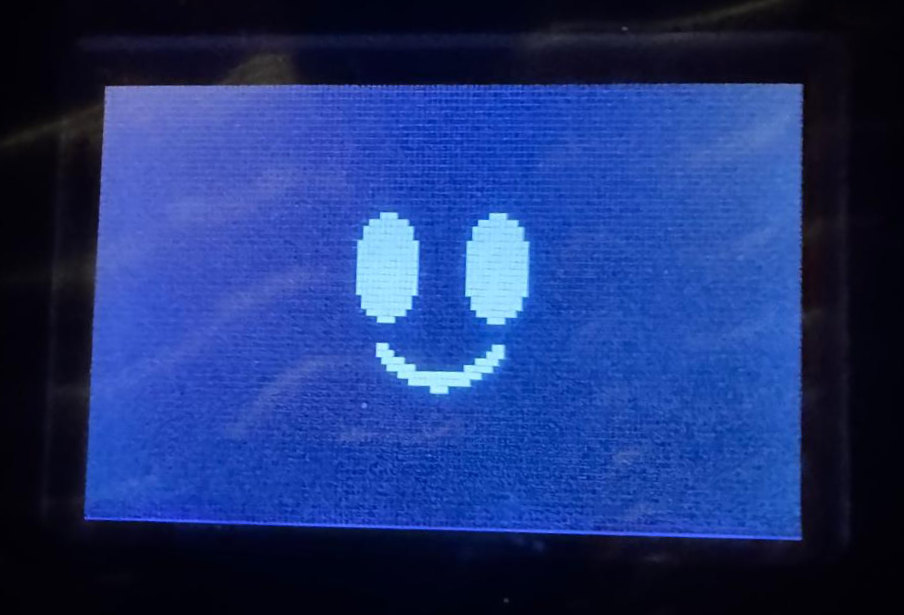
I changed the startup ‘Hello’ screen to a smile so I could easily confirm the scales were using the YOW firmware (well, and for fun).
I now had customised firmware patches, allowing redirecting the scale’s traffic to my own server, and a simple means for sending that firmware to the device.
YourOwnWeigh App
I’ve bundled this all into a web app that serves as the dashboard, sync API, and is able to speak to a separate Python bridge that handles the Bluetooth communication with the scales.
Combined these allow you to:
- automatically produce a patched version of the firmware (currently for two models of scales) by downloading the firmware from Withings’ servers and patching it
- update your scales to that custom firmware over Bluetooth
- import the scales and its settings into the app database
- import your existing user roster int the app database
- update the scales’ settings to route weigh-in, and other syncing, to this server
- configure various scale settings
- download your data via the built in API
The app is free, and open source, and should prevent your scales from talking to Withings’ servers and potentially getting updates. It handles the API communications with the scales in the same app, and it has a simple API for allowing you to download weight readings to wherever.
Initially I made a macOS app that did all the Bluetooth comms, separate to the server app, but I wanted to get to something that would work more broadly, so re-tooled towards a Python bridge that works with the server. However, I don’t have easy access to a Windows/Linux machine to extend that bridge, but I believe the Python code should be largely generic enough to make that easy.
CloudFlare Hosting
The web app is built such that it can run entirely as a worker on CloudFlare, using D1 as the data store. Given the expected read/write levels, this fits comfortably in a free account.
The Wrangler code for spinning this up is all included.
That makes for a very nice solution that allows easy syncing from the scales to a database you control, and then from that database to your devices, and then on to Apple Health / Google Health / etc.
User Roster Migration
If you already have scales, it is likely you already have one or more users configured on those scales. The scales retrieve and sync the user roster from Withings’ servers via the same flow we already had access to.
As I mentioned, the auth is just MAC + Secret, so once the YourOwnWeigh app sees a set of scales it is able to pull your user roster and import it for you. This imports your existing user list with their names, 3 letter scale display names, baseline weight and their age (not the DOB that this is based upon, but you can then add that in the web app).
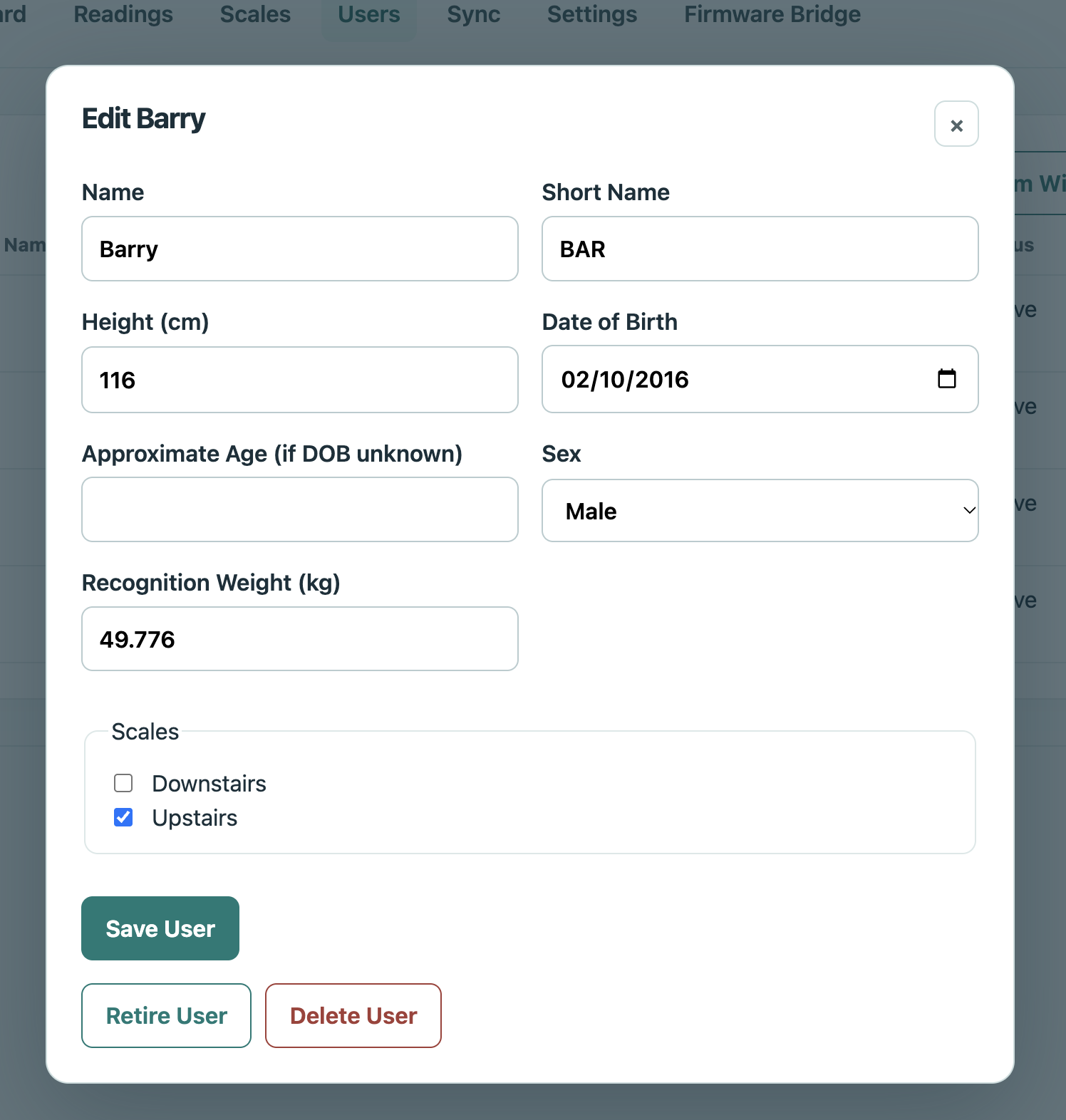
You can import users from Withings, or add in the app, and then manage them in YOW moving forward.
Apple Health Syncing
At this point I had two sets of scales which would speak to my CloudFlare based server (which had imported my 4 users), and a web app that allowed managing everything.
Now I wanted to sync that data to Apple Health, which can only be done on device from my iPhone.
Luckily, iOS Shortcuts have everything needed. Shortcuts can automatically run on a schedule, can read from arbitrary web sources, and can push health readings into Apple Health.
The same repo includes the shortcut template, and instructions on how to set that up.
Todo
- Add support for more models - I only have two sets and access to the hardware is needed for adding more. Hopefully there are people out there willing to help.
- Weather - Withings scales (mine at least) show a little weather icon when you weigh in. The server can support this, or suppress it, but I’ve not completed that yet.
- WS-30 doesn’t support HTTPS for the sync API currently - it is doable but just wasn’t that important to me.
- There are currently length limits on hostnames for your own server (WBS06 = 48 ASCII chars, WS-30 = 57 ASCII chars). This could be addressed too, but needs firmware updates.
- Setting the time settings on the scales could be improved.
- I’ve only tested this all on macOS 26 and iOS 26; I am hoping the community can help with Linux and Windows support.
Wrap Up
At this point I now have two sets of scales, which automatically sync to Apple Health after weigh-ins, and which require no subscription, and which cannot be overwritten by a remote update from Withings. My scales are free!
I will say, that the Withings’ hardware is very good, and the scales themselves still work very well. It is a shame the direction the software has taken, in terms of bloat and subscription requirements.
Ironically, I’d have been happy to pay a small subscription to simply have the Withings app go back to how it used to be. I recognise they need ongoing revenue, but I bought two pieces of hardware and just want them to work.
I spent a lot of hours getting to this point, and used a lot of AI along the way. I can’t give more reassurance about the outcome than confirming I did a lot of firmware updates to both models during this, and everything is working smoothly for me. You should do your own due diligence.
Hopefully the YourOwnWeigh app helps more people restore their scales to their former glory. I hope others can build on it further!